
- Mark as New
- Bookmark
- Subscribe
- Permalink
- Report Inappropriate Content
I'm trying to activate 2 accounts that were made inactive. But both the inactive accounts have the same account#. How do I change an inactive account #?
I've tried to use the pencil icon and change the number manually but it just gives me an error. These accounts were deleted while they still had a balance in them, so there is an amount sitting in the opening equity that I can't clear out.


- Mark as New
- Bookmark
- Subscribe
- Permalink
- Report Inappropriate Content
Account Management
Welcome to the Community, Jackieledgerwood. Let's work together to successfully make a change to your account number.
Before we begin, let me share some details about the Chart of Accounts (COA). Once an account is made inactive or deleted, you won’t be able to edit or change its account number directly. Even using the pencil icon to manually update it won’t work.
To make any changes, you’ll have to reactivate the account first. Here's how:
- Go to Transactions menu.
- Select the Chart of accounts.
- Choose the account you want to reactivate and click Make active under the action column.
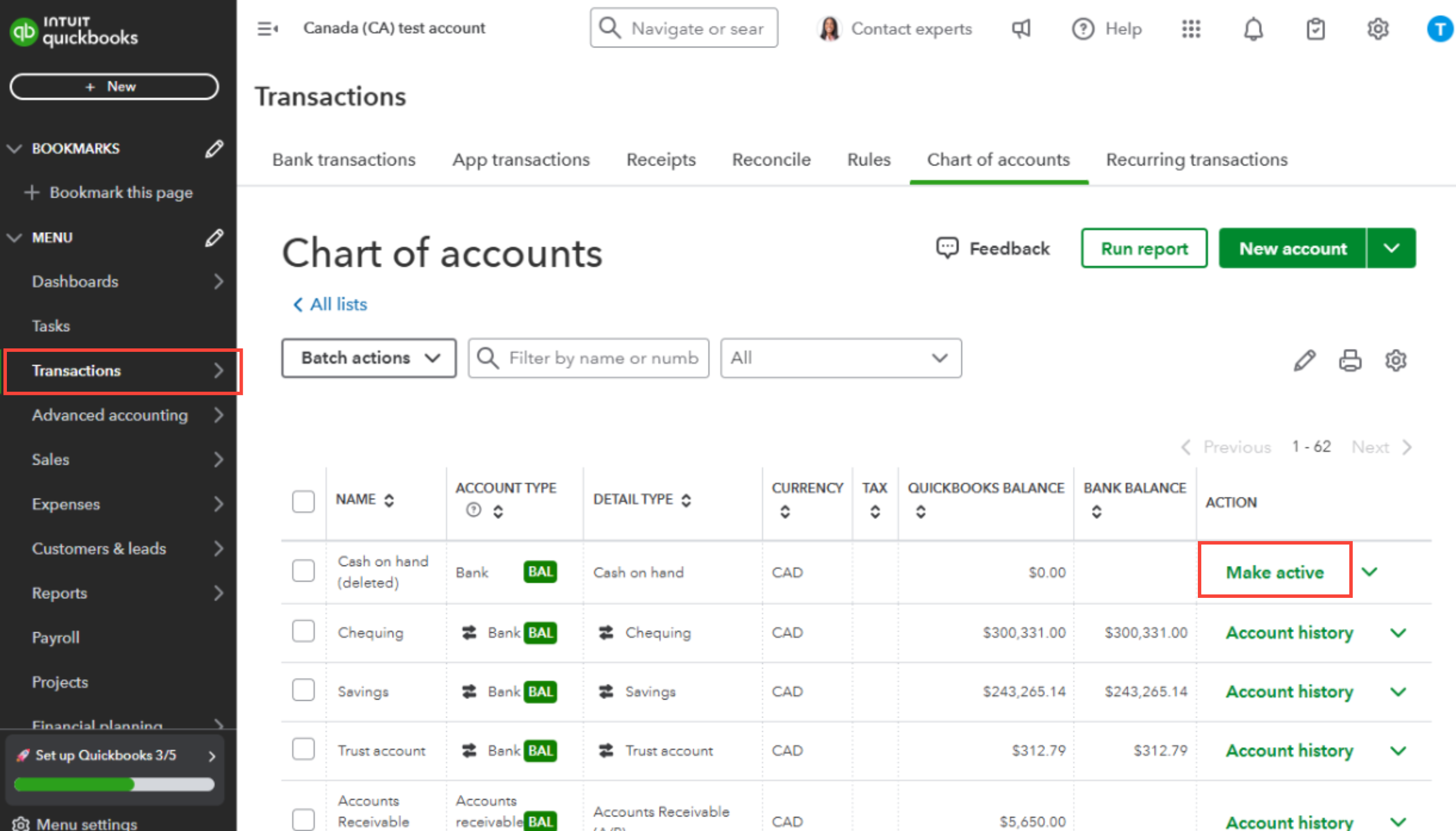
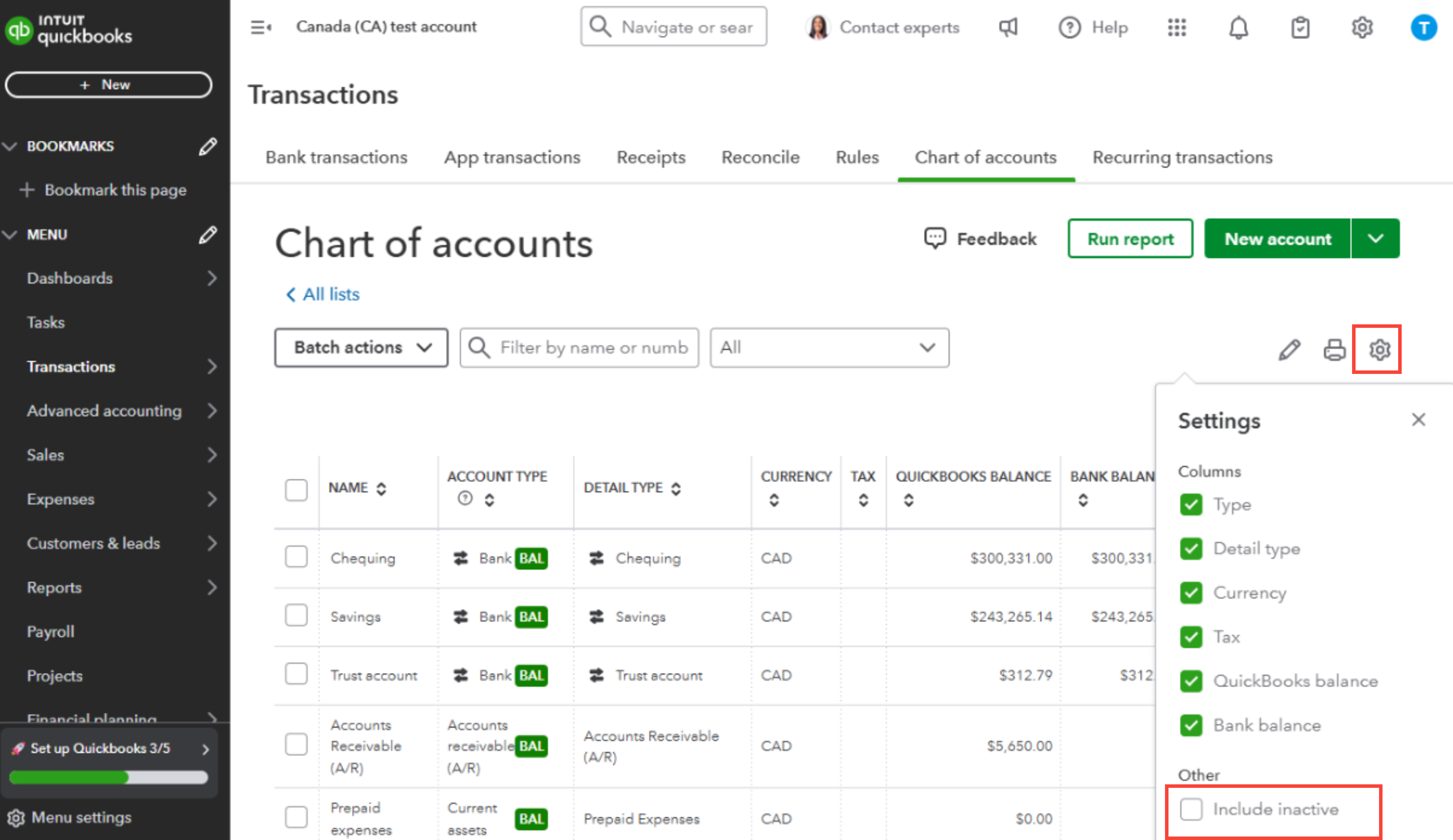
If the accounts that were inactivated are not showing in the list, you'll have to filter the page by using the Gear icon or Settings in the COA, located next to the Print icon.
Here's how:
- In the Chart of Accounts page, click the Gear icon.
- Check the Include inactive.
Feel free to visit this article for information regarding editing COA: Add to or edit the chart of accounts in QuickBooks Online
Please let me know if you have any QuickBooks-related questions. We're always here to assist you right away.
