Turn on suggestions
Auto-suggest helps you quickly narrow down your search results by suggesting possible matches as you type.
Showing results for
Hi there, @karen-acmebuild-.
There are three steps you can take to help get your transactions updated again. Before that, I'd like to know the name of your financial institution, as this will help us determine whether the issue with the bank feed not updating is due to our software or your bank.
The first step is to log out of your account, refresh your browser, and then log in again. Within the Bank Transactions page, click the Update option on the right side to refresh all your connected bank accounts and download the transactions.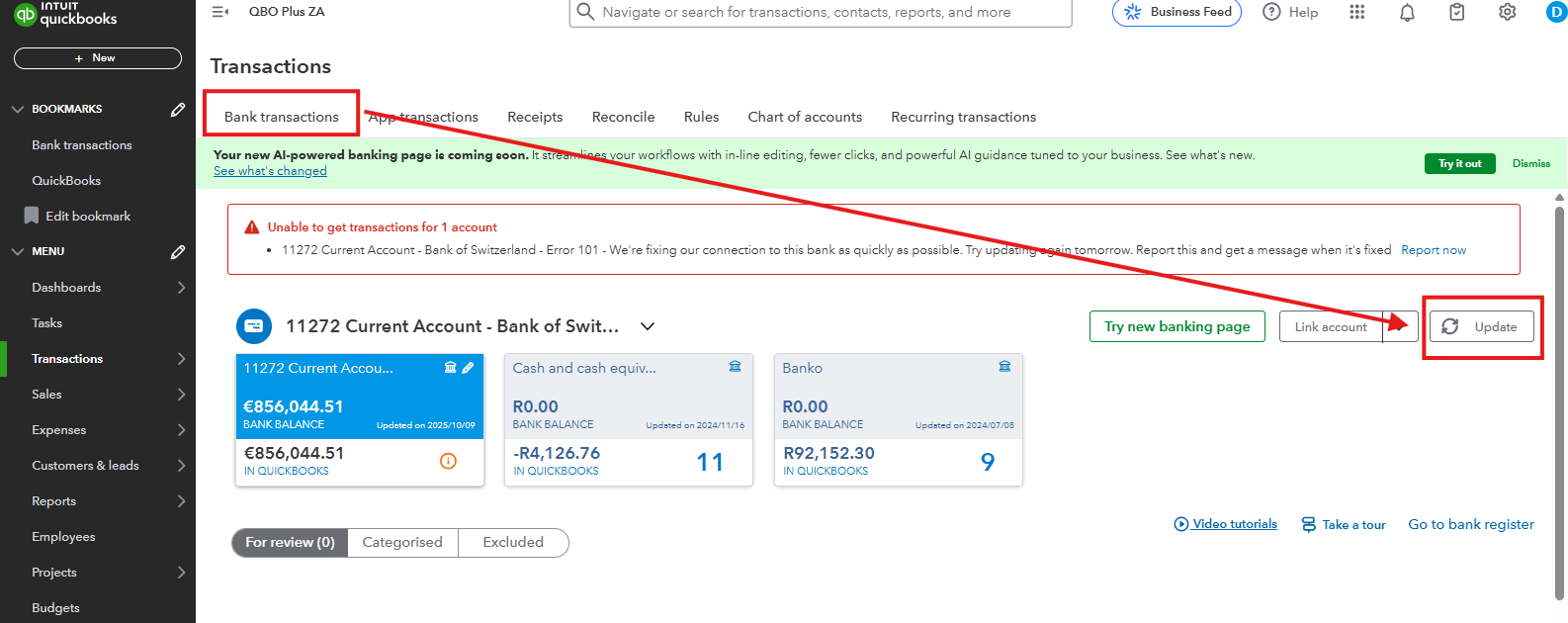
If updates remain stuck, let's move on to step two. This process involves checking your bank's or credit card website by signing in. However, if you're unable to sign in, this means the bank's URL link has been updated, and you also need to update it in our system. Here's how:
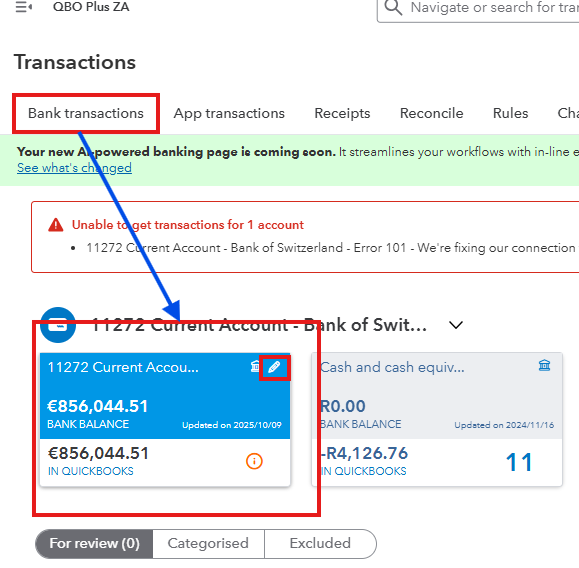
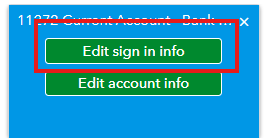
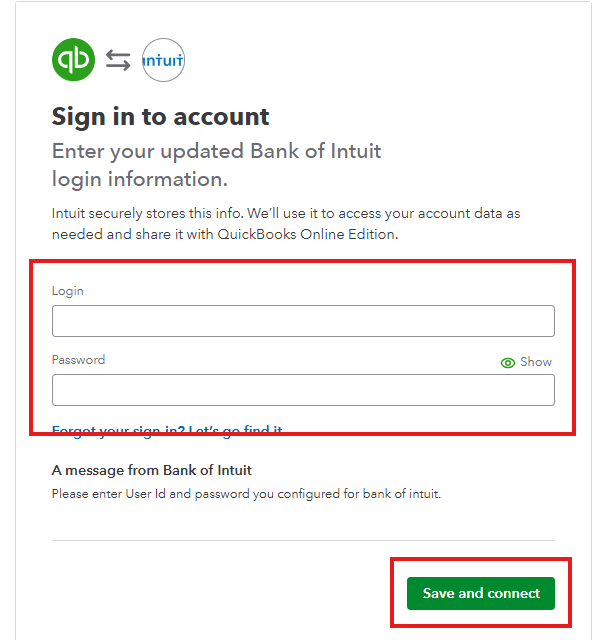
You can proceed to step 3 if the issue is not your bank's URL, but the changes you made to your bank account information.
If you have changed something in your bank information, you also need to update it in QuickBooks to avoid an error in your bank feed. You can find the detailed step-by-step process by reading this article: Update your bank info in QuickBooks.
If the issue persists, I recommend manually uploading your bank transactions in QuickBooks by following the accepted format. This way, you'll avoid delays and continue working with your planned banking tasks.
In case you have additional questions, drop your reply here.
You have clicked a link to a site outside of the QuickBooks or ProFile Communities. By clicking "Continue", you will leave the community and be taken to that site instead.
For more information visit our Security Center or to report suspicious websites you can contact us here


