Hello there, lefamphirime01.
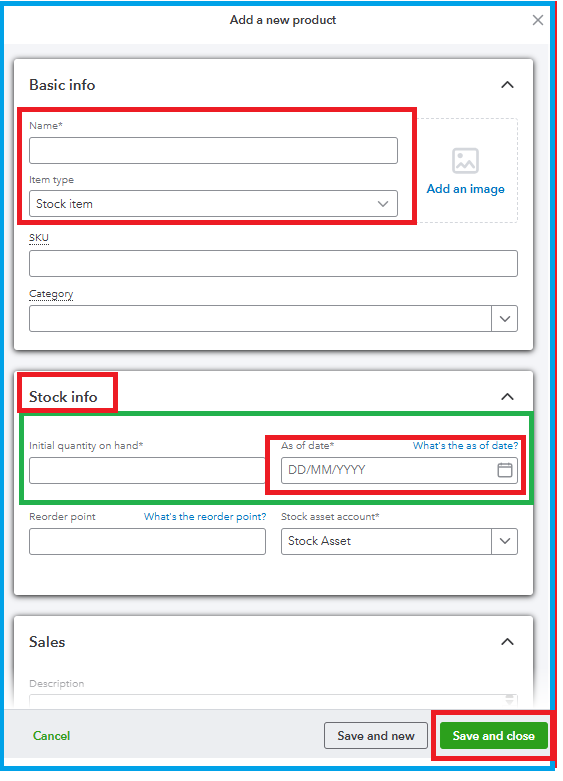
To set the As of Date in QuickBooks Online when recording stock, you can do this by specifying the date under the Stock Info tab while entering the inventory details.
- In Product and Services page, click the dropdown arrow next to the New tab.
- Choose Stock Item from the dropdown menu, then input the Name of the inventory item.
- Under the Stock Info tab, enter the Initial quantity on hand and specify the As of Date.
- Fill in the required details, then click Save and Close.
If you have any additional questions or concerns regarding QuickBooks, feel free to click the Reply button below. We're always here to help.


