Welcome to the Community page, Info2320.
To add a VAT number and purchase order number, you’ll need to create a custom field. Here's how:
1. From Gear icon, Go to All Lists and select Custom Fields.
2. Click Add Fields and enter a Name (e.g., VAT Number or PO Number).
3. Choose the Data Type as either Number or Text and Number.
4. Set the Category as Transaction, and check the forms where you want these fields to appear.
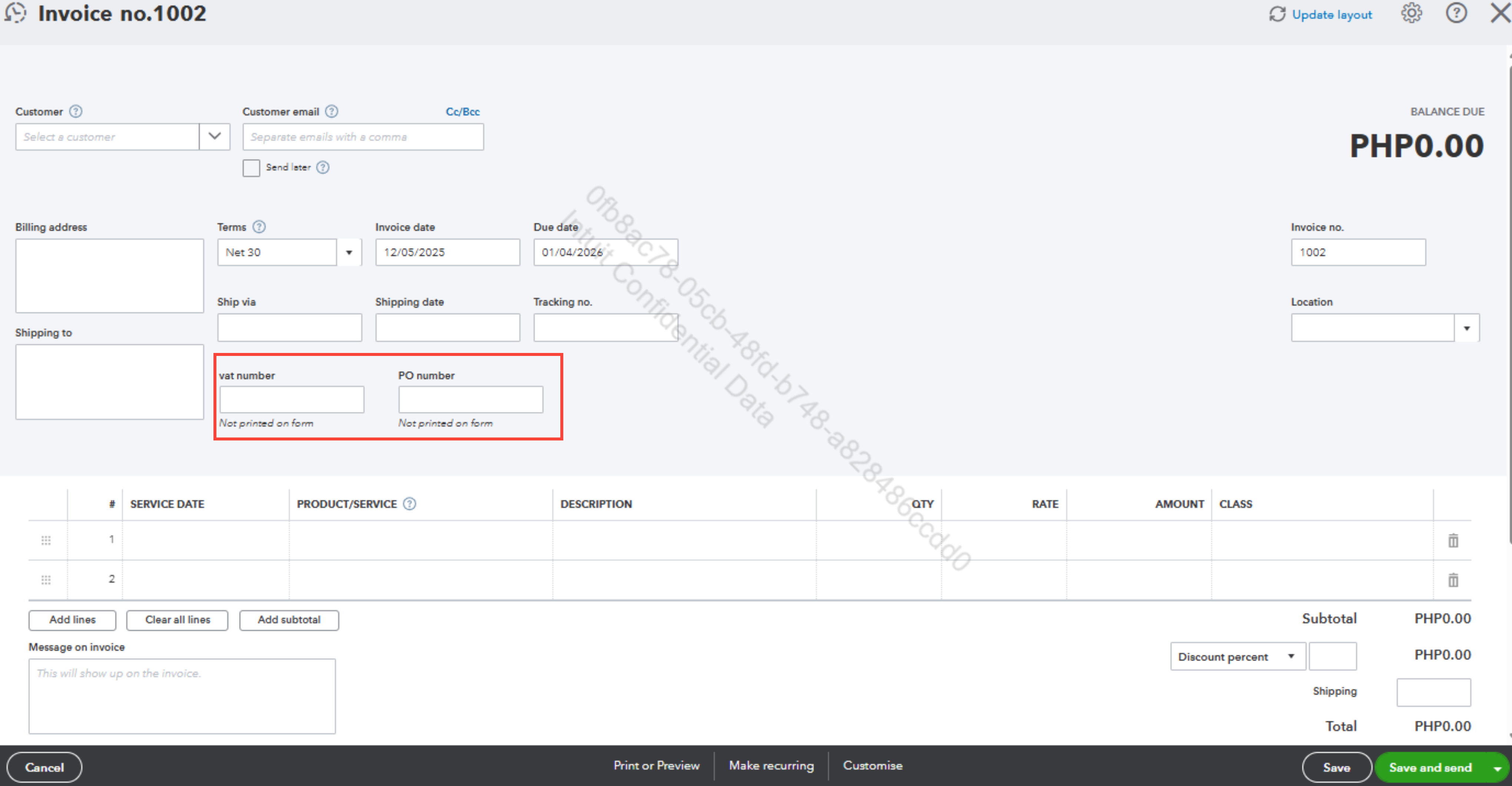
Once done, return to the invoice page. You’ll see a field where you can enter those numbers. Please see the sample screenshot:
Regarding to change your business or sales form address, follow the steps:
1. Go to the Gear icon, select Accounts and Settings.
2. Choose Company tab and modify the Company and Legal Info section (for your business address)
3.For the sales form address (how customers contact you), change it in the Customer Contact Info section.
Please leave us a response if you have any further questions or concerns.


