Turn on suggestions
Auto-suggest helps you quickly narrow down your search results by suggesting possible matches as you type.
Showing results for
SALE EXTENDED 70% OFF QuickBooks for 3 months* Ends 12/8
Buy nowI'm going through the Pro Advisor training and I've gotten stuck on the Period End module where it discusses the Book Review Center. I cannot find a way to access this center using the sample Craig's Landscaping company. My gut tells me this is because the sample company is not setup as a "client", but as a standalone sample company to play around with. The instructions say the Books Review is only accessible by "accounting pros accessing client accounts through QuickBooks Online Accountant". Is this the reason, or am I just missing something?

Welcome to the Community, Steve.
Let me help you with accessing the Books Review column in QuickBooks Online (QBO).
You’re right, the Books review feature is exclusive to QuickBooks Online Accountant (QBOA). Since the Craig's Design and Landscaping Sample Company used in training is a standalone sample file, the feature isn’t accessible there.
To utilize Books review during ProAdvisor training, you’ll need to add a company as a client in your QBOA firm account. Once added, you can access it from the Client list.
Here's how:

For further assistance with QuickBooks-related questions, feel free to reply below.
Thanks JayAnne_C,
So I have added that client, and they show up under the Overview tab, but not under the Bookkeeping tab. I saw a link in the Bookkeeping tab saying Add a Bookkeeping Client, which I then tried to do, but that ended up duplicating the client in the Overview tab. I still don't see them on the Bookkeeping tab. Not sure what I'm doing wrong...
I would love to add a screenshot, but this interface with the community doesn't think I'm logged in (even though I am) and will not let me add attachments..
Thanks for your help.
steve_h
Thank you for reaching out to the community, Steve.
Let’s explore why the added client is not appearing under the Bookkeeping tab.
In QuickBooks Online Accountant (QBOA), when you add a client, you have two options: adding them with a subscription or without a subscription. If you added a client with a subscription, they should appear under the Bookkeeping tab. However, if you chose the option that does not require a subscription, this is why the client is not visible under the Bookkeeping tab, as that option is intended for tracking purposes only.
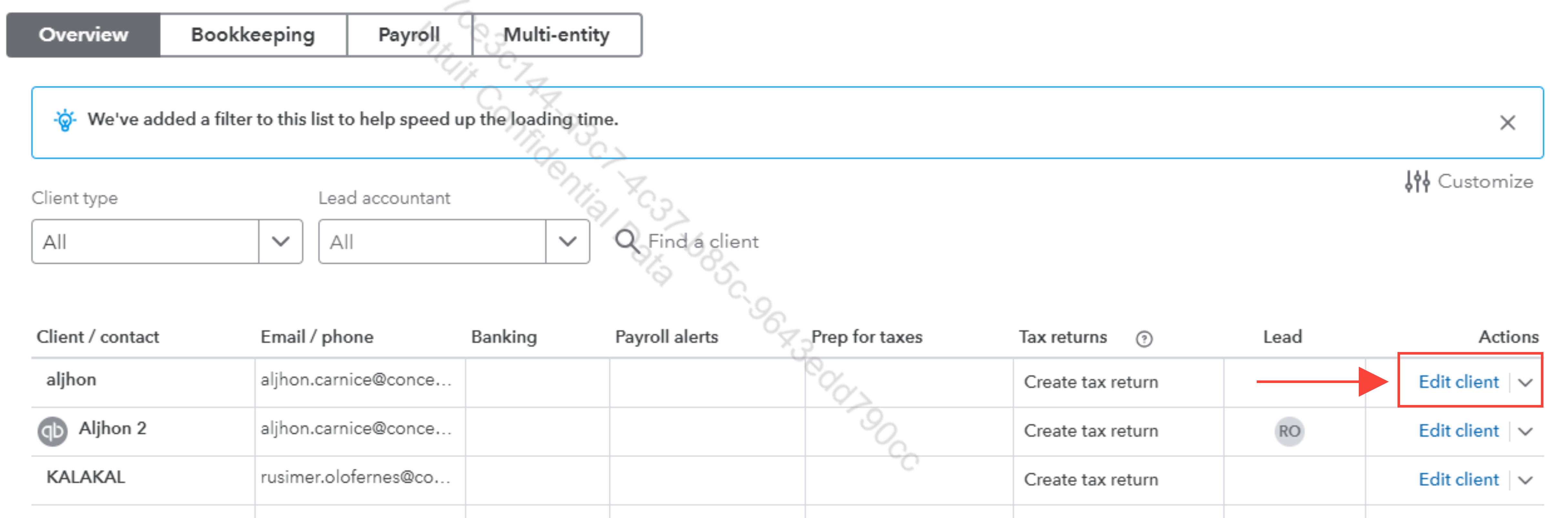
As a workaround, you can edit the client to select the subscription option for them to display under the Bookkeeping tab in your QBOA account.
Here’s how to do it:

If you have any further questions, please feel free to reach out. We are happy to assist you.


You have clicked a link to a site outside of the QuickBooks or ProFile Communities. By clicking "Continue", you will leave the community and be taken to that site instead.
For more information visit our Security Center or to report suspicious websites you can contact us here


