CYBER MONDAY SALE 70% OFF QuickBooks for 3 months*   Ends 12/5

Buy now
cancel
Showing results for 
Search instead for 
Did you mean: 
Announcements
Simplify payday and set payroll to run automatically on QuickBooks. Explore QuickBooks Payroll
jlrrv
Level 2

no longer have the option to get gps address when adding a new customer

for years i have gone to a customers location, added a new customer, and clicked the gps button and it would automatically enter in the gps address. after this last update i no longer have the circle gps button by the address when adding a new customer. anyone know what needs to be done to get this turned back on?

1 Comment 1
Dandie_A
QuickBooks Team

no longer have the option to get gps address when adding a new customer

Hi jlrvv.


I understand how this change has made things more challenging for you, especially since the GPS button was an important part of your workflow.


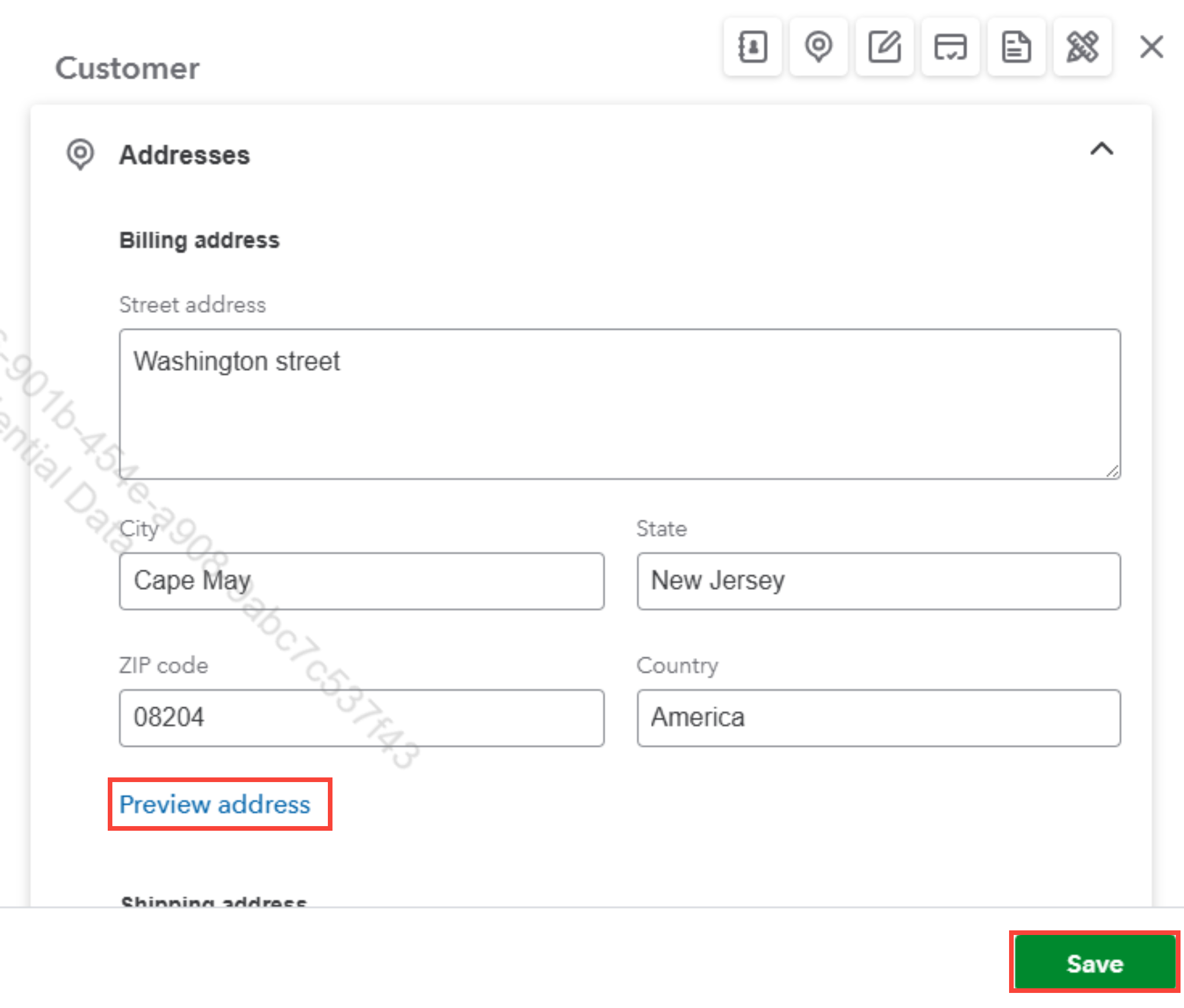
With the new update, the functionality for retrieving the GPS address has changed. Instead of the circular GPS button, this feature is now integrated into the Preview Address option.


Here's what you can do:


  1. Enter all the necessary customer information, including the address, as you normally would.
  2. Click the Preview Address option, which will automatically retrieve and populate the GPS address for you.
  3. Once everything is done, click Save.


If you need further clarification or assistance, feel free to let us know.

Need QuickBooks guidance?
Log in to access expert advice and community support instantly.

Need to get in touch?

Contact us