Dealing with a locked VAT return after an Invalid Credentials error can definitely stop things in their tracks, especially when nothing has changed on your end.
The possible reason for this error is an expired Making Tax Digital (MTD) authorization. HMRC requires you to re-authorize your connection every 18 months for security reasons, as it will automatically expire.
Here are the steps to follow:
- Go to the Gear icon.
- Select Account and Settings.
- After that, Turn off Making Tax Digital.
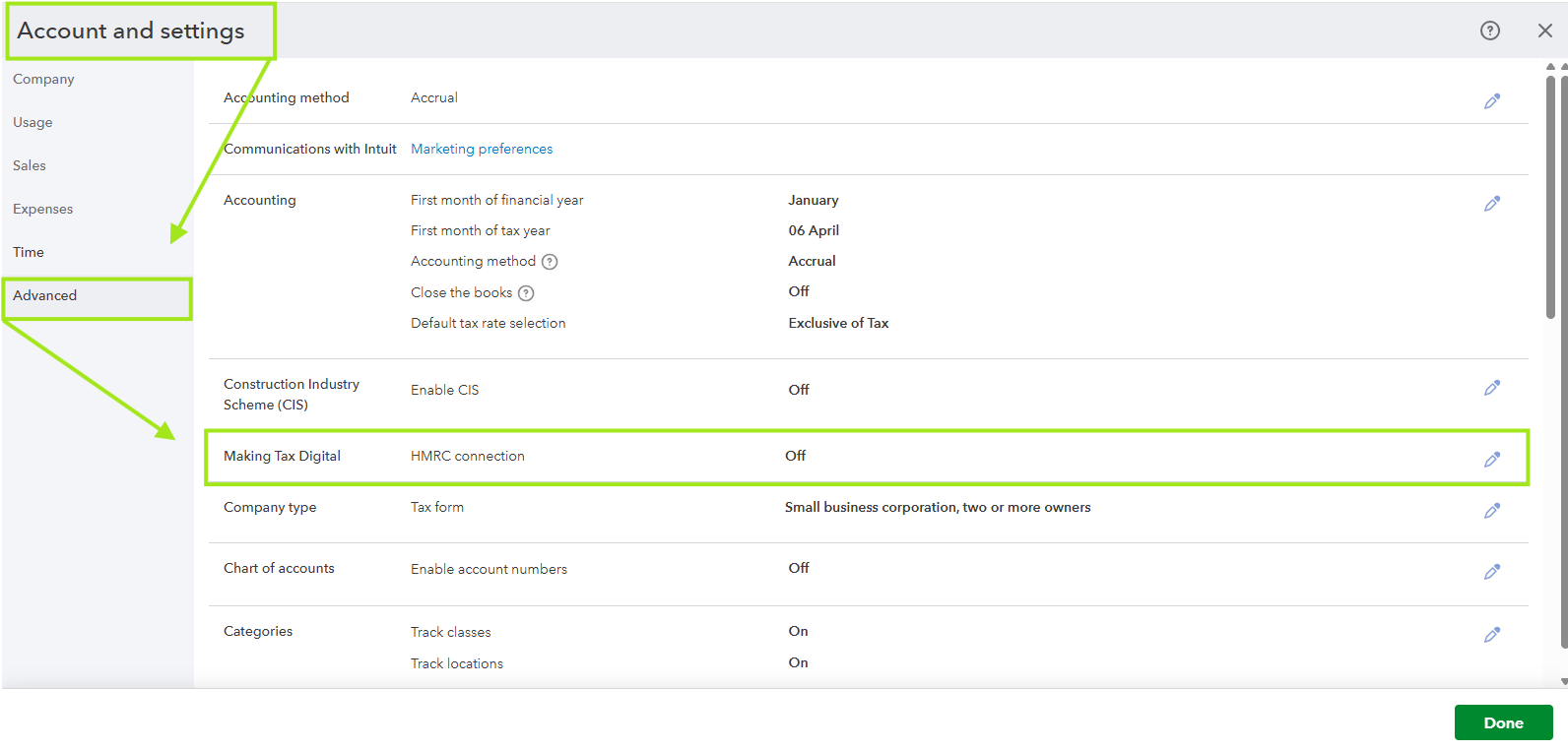
Lastly, reconnect QuickBooks to HMRC using the correct MTD credentials. Then proceed back to the VAT return.
If there is anything else I can assist you with, or if you have any questions, please leave a response below.


