Turn on suggestions
Auto-suggest helps you quickly narrow down your search results by suggesting possible matches as you type.
Showing results for
It's nice seeing you here, Bhakti.
Combining two Invoices into one is unavailable but we can create two separate transactions to close the Purchase Order. I can guide you through the process.
If the Invoice you're referring to is a Bill from the Purchase Order of $218,366.35, you'll need to split that billing into two. One for $165,112.37 and a second for the remaining $53,253.98. Here's how to do that:
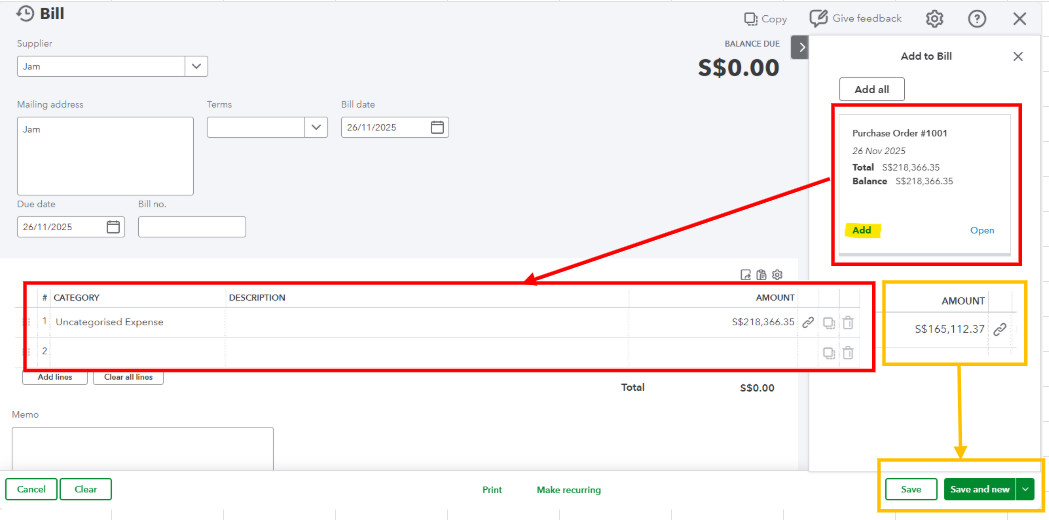
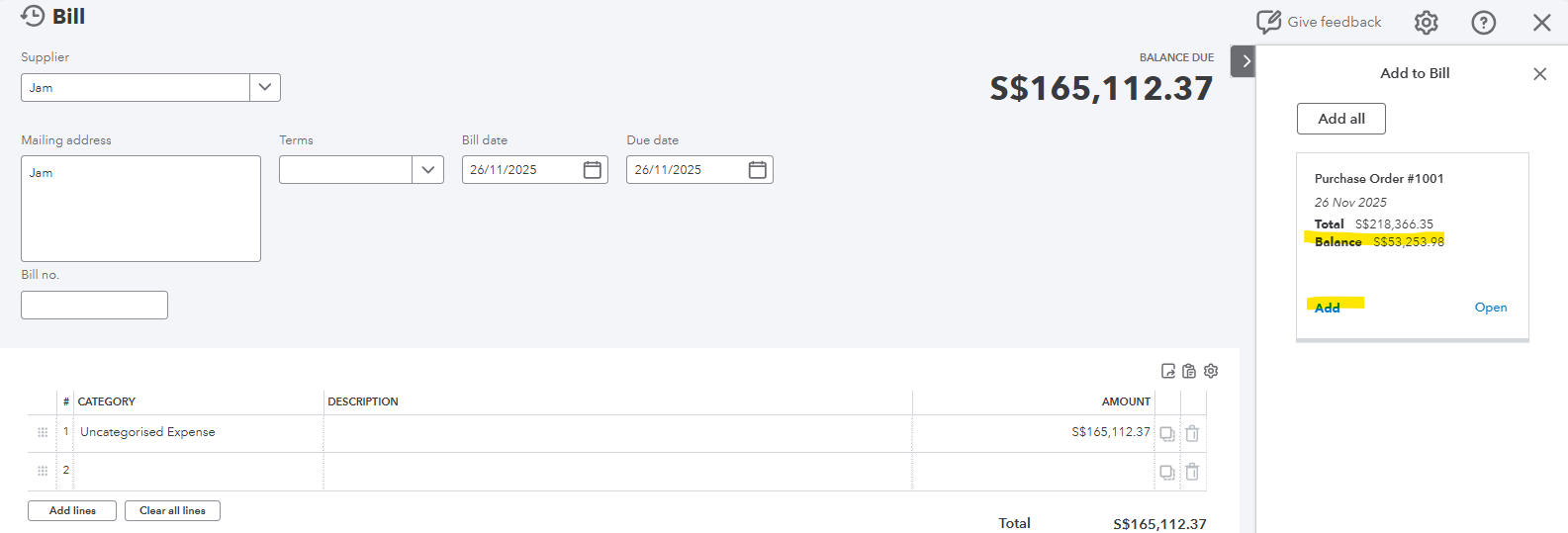
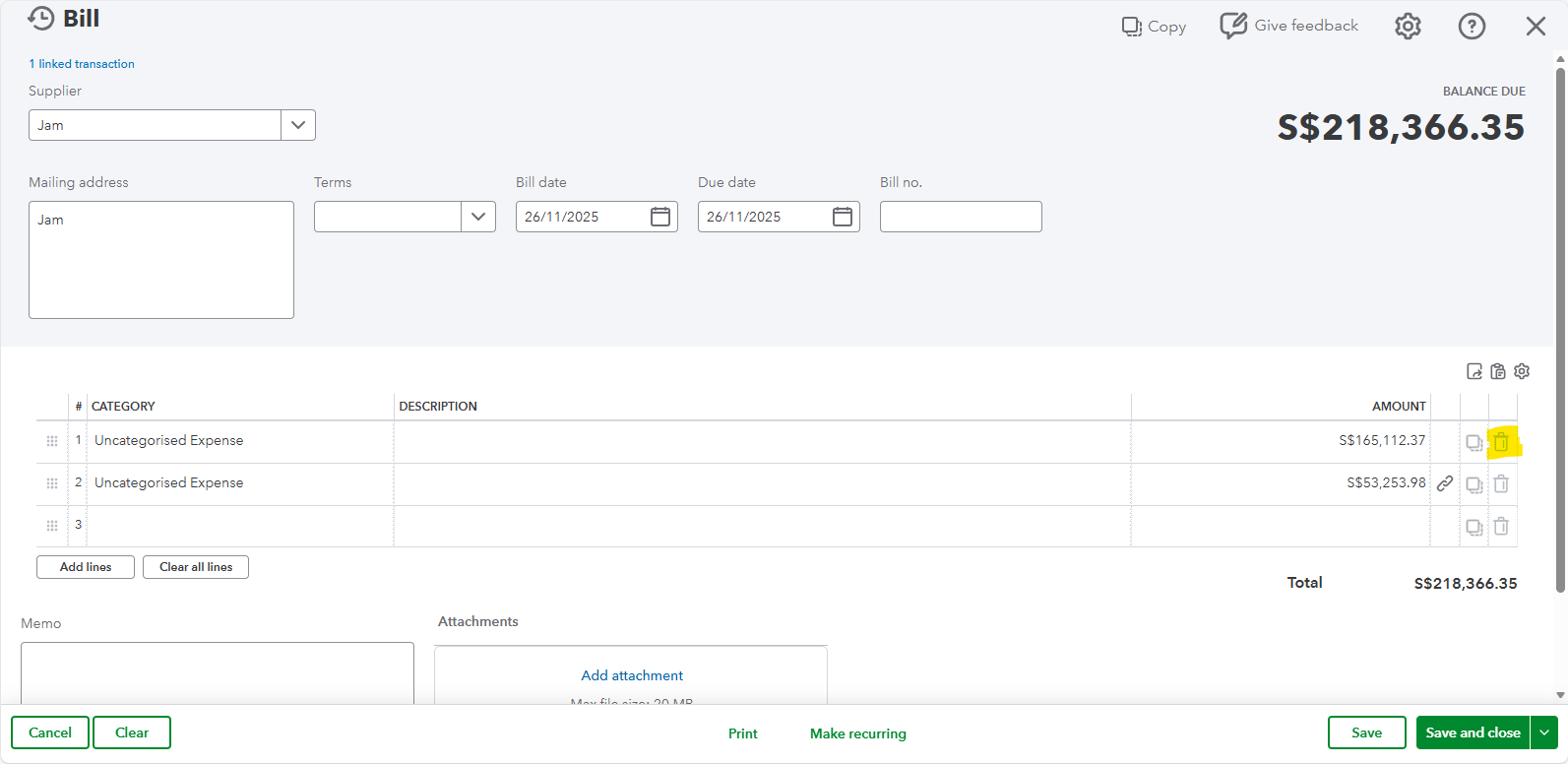
Once done, repeat the process in creating the second Bill for the remaining balance of $53,253.98. If both amounts show, ensure to click the Delete icon to remove the first bill. After saving it, the Purchase Order status will now change to Closed.
On the other hand, you can use the Progress Invoicing feature to make two subsequent invoices against a single estimate. Please note that this is only applicable if you meant Invoices for customers, and PO as Estimate.
Feel free to leave a response below if you have additional concerns about recording PO and Invoices. We'll be here to address them.
You have clicked a link to a site outside of the QuickBooks or ProFile Communities. By clicking "Continue", you will leave the community and be taken to that site instead.
For more information visit our Security Center or to report suspicious websites you can contact us here


