Turn on suggestions
Auto-suggest helps you quickly narrow down your search results by suggesting possible matches as you type.
Showing results for
Suncorp bank
Yes, @info2308. There's a way to set this up from a user in QuickBooks.
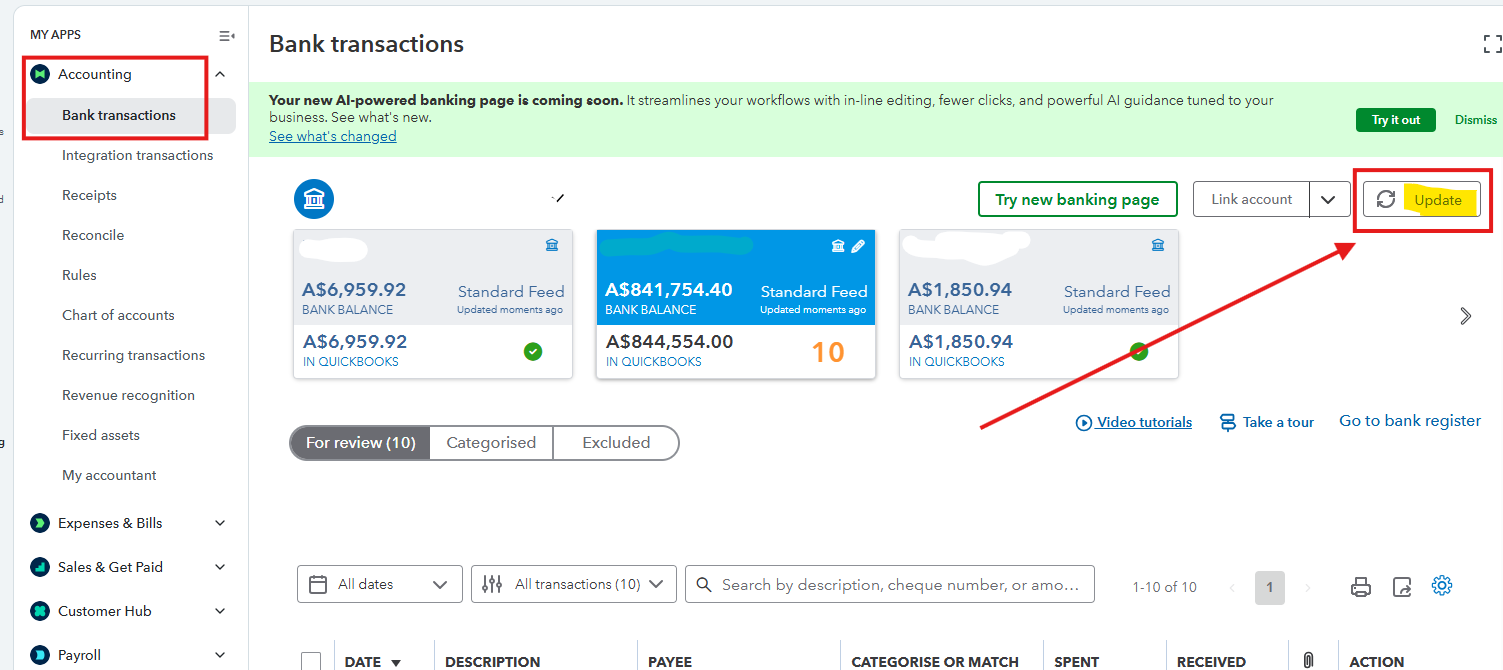
First, let's refresh your feed to update all your connected bank and credit card accounts and to download new transactions. Here's how:
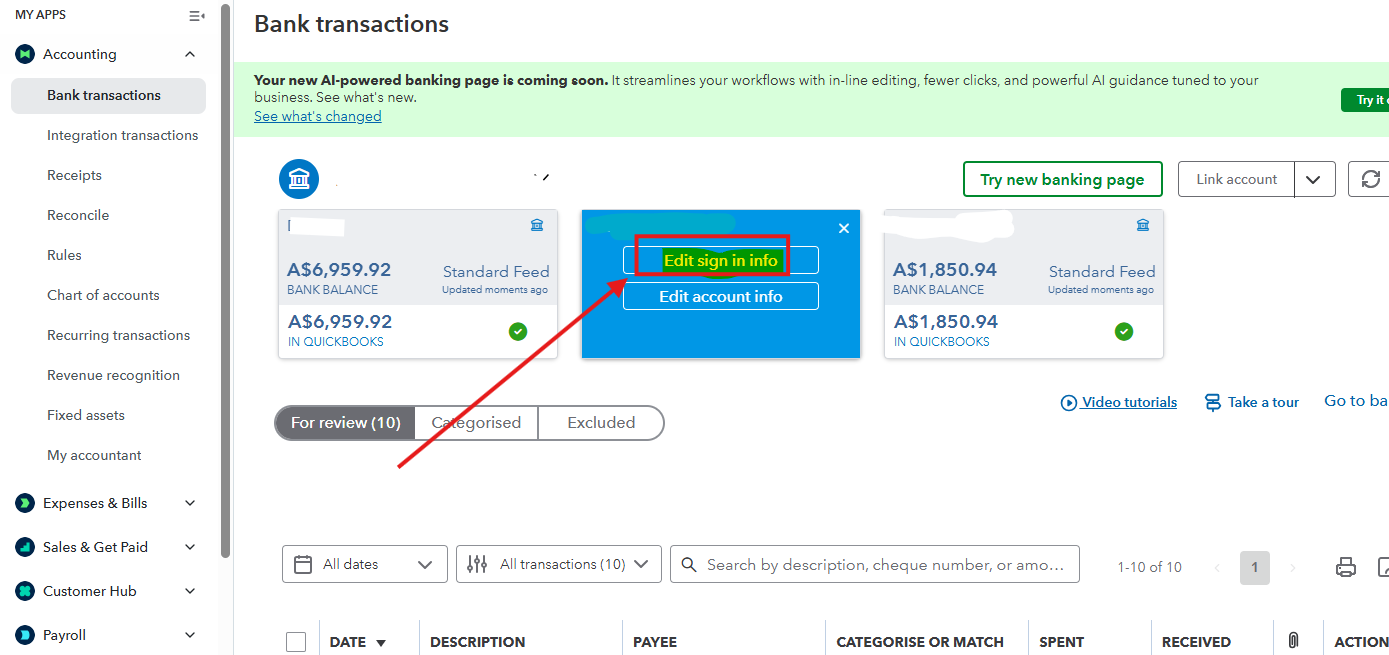
If you have recently updated any information on your bank's website, such as your account number, username, or password, update that information in QuickBooks as well. Here's how:
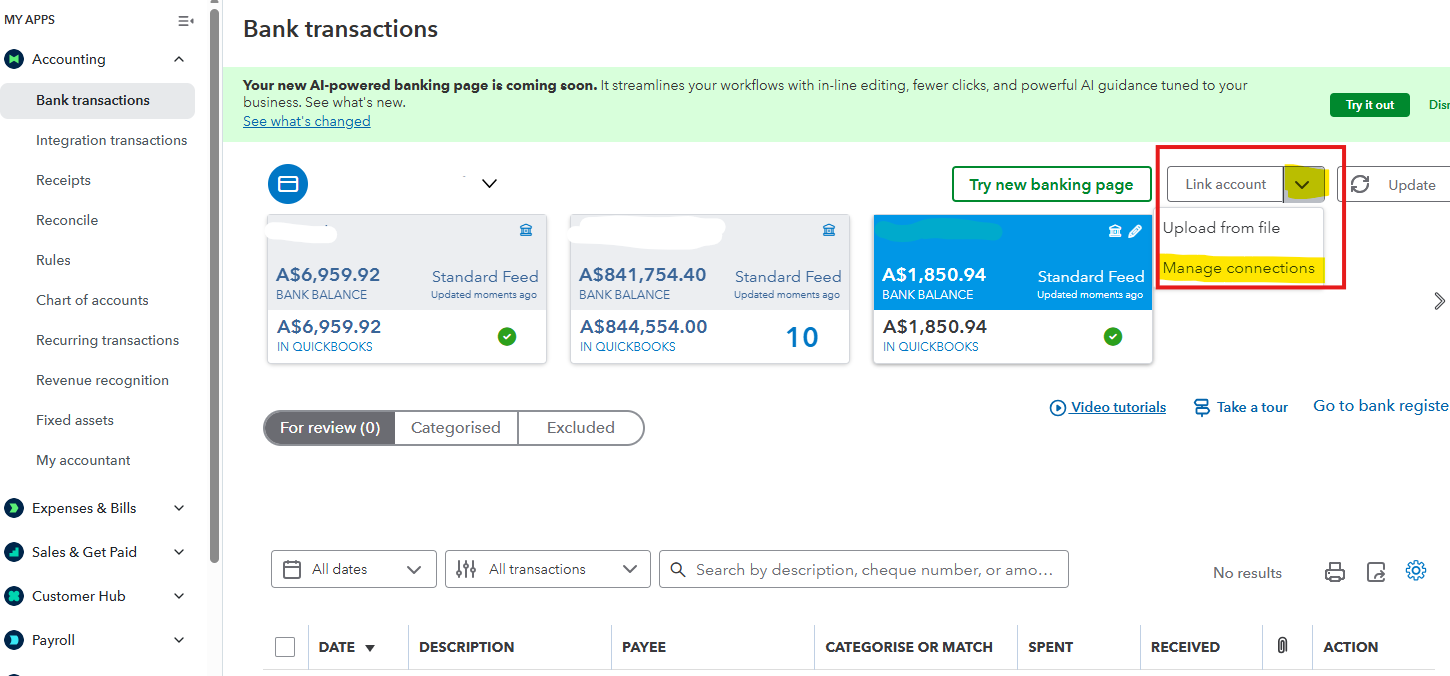
If you connect your bank account to QuickBooks Online using Open Banking, you'll need to renew your consent every 365 days. It's a requirement of the Open Banking standard.
Here's how to renew your bank connection to reconnect your bank feed to QuickBooks:
Don't hesitate to reach out with any other concerns.
You have clicked a link to a site outside of the QuickBooks or ProFile Communities. By clicking "Continue", you will leave the community and be taken to that site instead.
For more information visit our Security Center or to report suspicious websites you can contact us here


